Managing Team Resources
In the lower-left corner of the pgEdge Starfleet BYOC console is a link to the
Team Management page; you can use the page to view a list of team members,
invite members to your team, and manage pending or expired invitations.
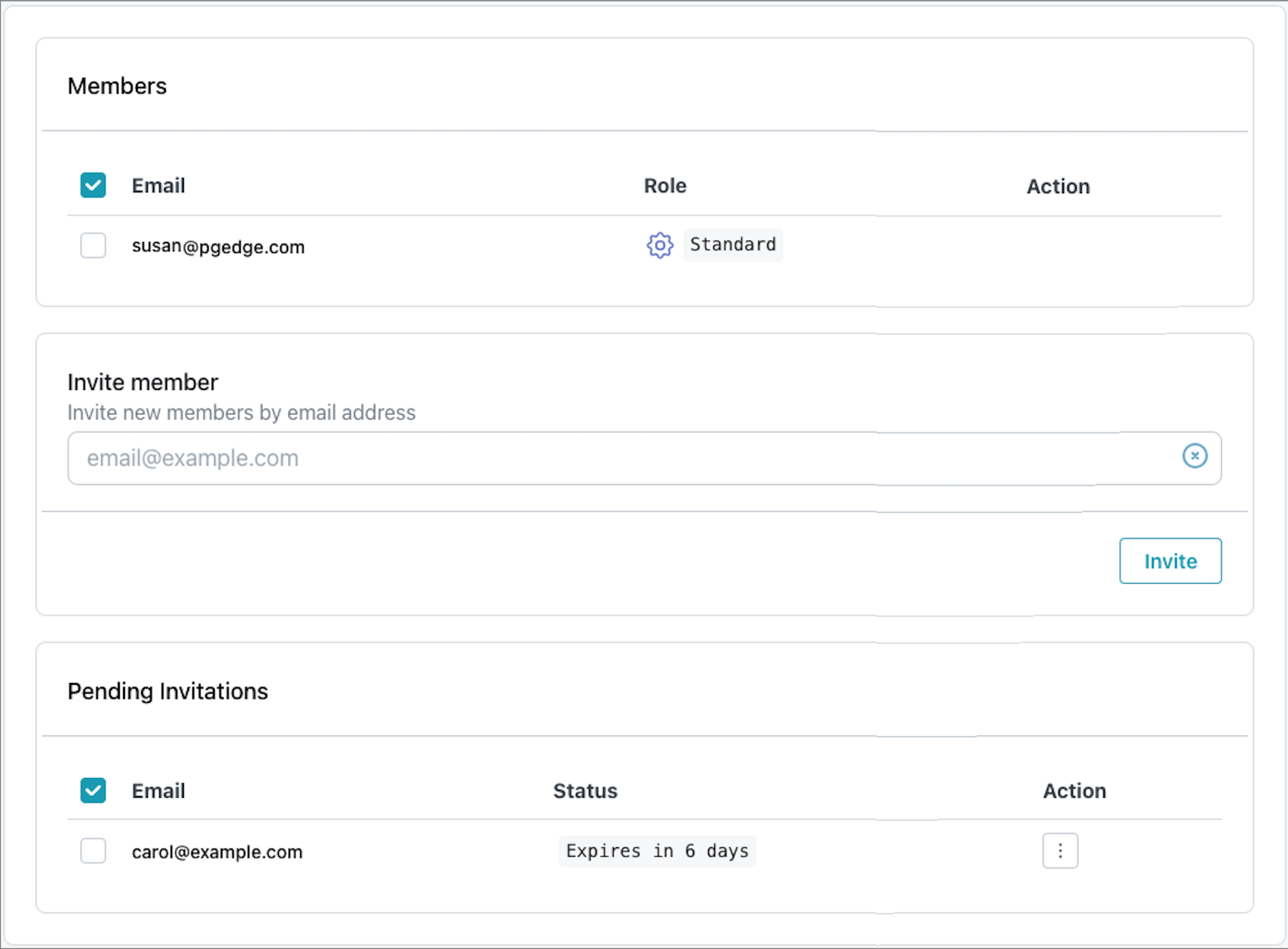
- The
Memberstable lists the current members of your team; use the context menu in theActioncolumn to delete a member from the team. - The
Pending Invitationstable lists invitations that have not been accepted.Unaccepted invitations expire in six days; selectDeletefrom the context menu in theActioncolumn to delete an invitation.
To invite a team member to join your team, select the Add Team Member icon in
the upper-right corner of the Team dialog.
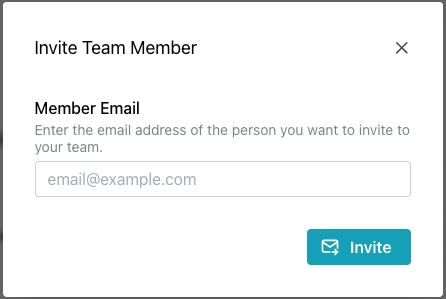
Enter an email address in the Invite Team Member field and select the
Invite button to send an email to the address, inviting the recipient to join
your team.
When you invite a user to join your team, they are taken to the pgEdge Welcome
window where they are prompted to provide a password. After providing a
password, the new team member is taken to the main console page for your team,
where all assets managed by the specified team are displayed. The
Pending Invitation is removed, and the new member is listed in the Members
table.