Connecting to pgEdge Starfleet BYOC
Any client that can negotiate a connection using libpq can connect to the
PostgreSQL server (port 5432) on a BYOC database; this applies to custom
clients as well. All authenticating clients must:
- require an SSL connection.
- disable GSS encoding (gssencmode).
- use an SSH key when connecting.
Additionally, you must open ports for connection when creating your cluster.
Connecting to a Cluster
You can connect to a BYOC cluster with SSH. IP addresses for each node in your
cluster are displayed on the Nodes pane of the Cluster information dialog.
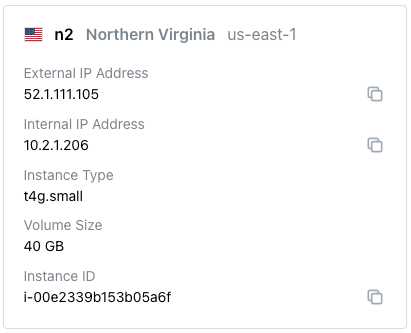
For detailed information about using SSH to connect to a node, see Connecting with ssh.
Connecting to a Database
You can use any PostgreSQL client that meets the connection criteria detailed above to connect to a PostgreSQL database. In this guide, we'll walk you through connecting with some commonly used clients.