Restoring a Database from Backup
If your backup was taken with pg_dump in plain-text format, the easiest way to
restore into a pgEdge Starfleet BYOC database is with the psql command line
client. You can use the PSQL connection string located in the Get Started
or Connect to your database pane of the BYOC console to connect to psql and
playback the script.
To restore with psql, append the PSQL connection string with
path_to_file/filename and press Return. For example, the following command
starts psql and plays back a script named fruit, creating the new schema
objects and data in the produce database:
PGSSLMODE=require PGPASSWORD=49VqNp6tg6g76RBz5L9n39DU psql -h mentally-cute-ladybird-iad.a1.pgedge.io -p 5432 -U admin -d produce < /Users/susan/Desktop/fruit
As the commands are played back, the command results are echoed onscreen:
PGSSLMODE=require PGPASSWORD=q2w40BbTL7e2Ug45c437MKaO psql -h brightly-striking-ram-iad.a1.pgedge.io -p 5432 -U admin -d produce < /Users/susan/Desktop/fruit
SET
SET
SET
SET
SET
 set_config
------------
(1 row)
SET
SET
SET
SET
ERROR:  schema "public" already exists
ALTER SCHEMA
COMMENT
SET
SET
CREATE TABLE
ALTER TABLE
COPY 12
ALTER TABLE
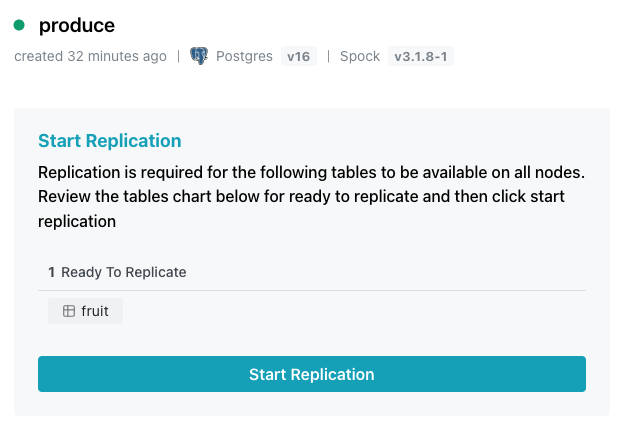
The script contains a command to create the public schema; since the schema
already exists, that command throws an error when invoked, but the script
continues, eventually creating the table named fruit owned by alice. The
newly created table is then displayed in the Start Replication pane.
Using pgAdmin to Restore an Archive
pgAdmin is a PostgreSQL client that uses an archive created in the pgAdmin client to recreate data, a database, or database objects on a PostgreSQL server or BYOC database. pgAdmin uses pg_restore to implement the restore.
When using pg_restore with BYOC, the owner of the objects must exist in the
target database so pg_restore can execute commands to create the objects. The
object owner must also have privileges in the schema in which the objects are
being created. You should not attempt to recreate objects in the spock
schema.
The version of pg_restore that you use must be the same version as the database
in which you are creating the schema or objects. pg_dump and pg_restore are
part of the postgresql installer; visit the
PostgreSQL website to download an
installer or for installation instructions for your platform.
To restore an archive on pgAdmin, right-click the name of the database in the
Object Explorer panel and select Restore... from the context menu.
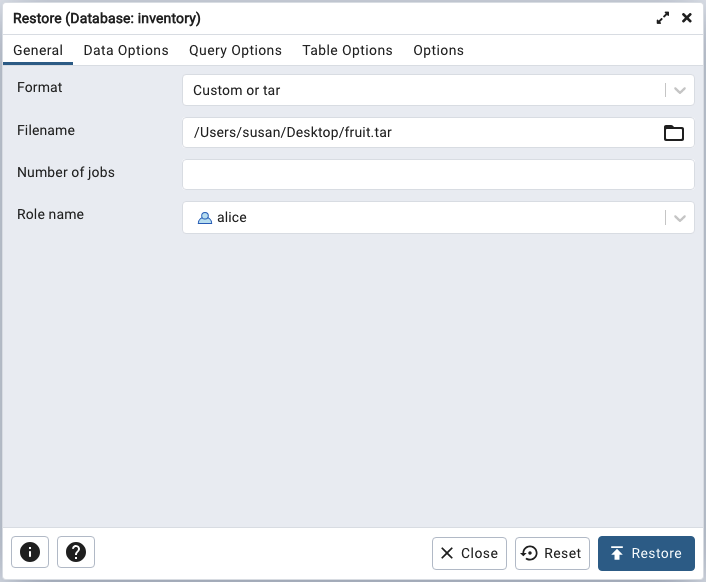
On the General tab:
- Provide the file format (either a
customortararchive) in theFormatfield. - Use the object browser in the
Filenamefield to select the archive with which you'll restore. Number of jobsmust be one; parallel processing for pg_restore processes is not supported at this time.- Use the drop-down listbox in the
Role namefield to select the owner of the objects in the archive.
If your backup inadvertantly contains schemas that you do not wish to include
when restoring, use the Options tab to exclude those schemas from the restore
process.
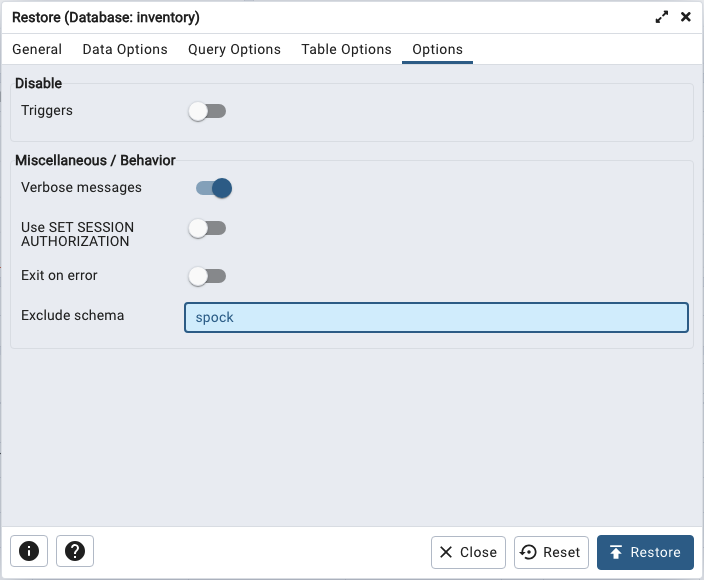
For example, you can exclude the spock schema by including the name in the
Exclude schema field.
Troubleshooting on pgAdmin
pgAdmin will display a Process Watcher popup with diagnostic error messages
if it encounters an error. A common problem occurs when restoring an object
that resides in the public schema; the schema already exists, so pgAdmin
returns an error.
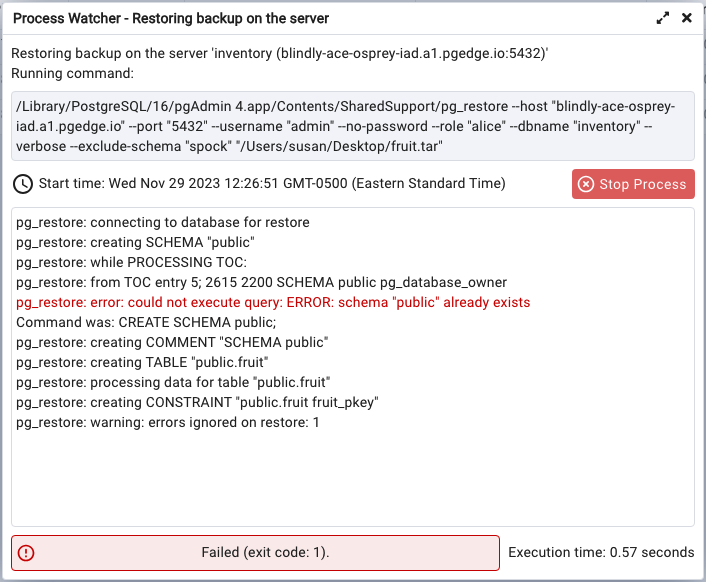
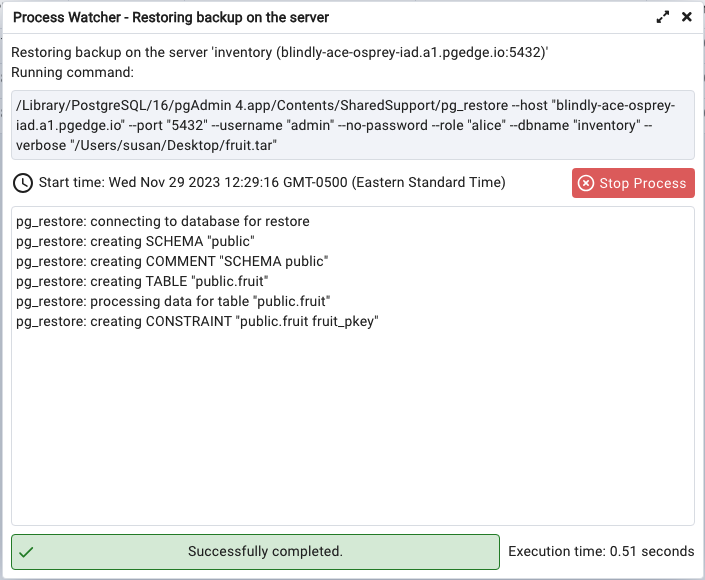
You can avoid this problem when creating tables in the public schema by first
dropping the schema, then recreating it when you restore the .tar file.