Using Resource Tags
A resource tag is a user-defined key/value information pair that you attach to
your cluster definition. The tag is displayed under the cluster name on the
Clusters page.

You can use tags to categorize your cloud resources or search for resources
that are used for specific teams or applications. For example, you may want to
include a tag that specifies team/db-ops to make it easy to identify the
resources that are used by the db-ops team.
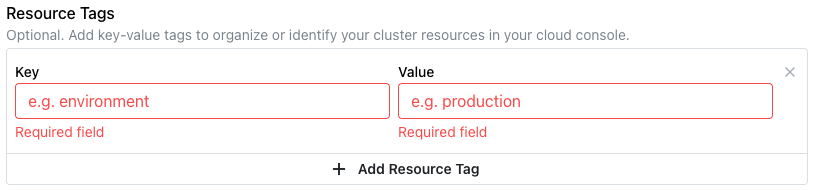
To add a resource tag to a cluster that was created without resource tags,
select Manage Tags from the Actions drop-down, and then select
Add Resource Tag; specify the Key and Value to add resource tags. The new
tags will be displayed with a / used as a delimiter. After defining the
tag(s), select Update Tags to update the tags associated with the cluster.
Note
The Key for each resource tag must be unique among the keys for the
selected cluster.
To modify the resource tags associated with a cluster, select the Edit tags
label in the cluster header or Manage Tags from the Actions drop-down.
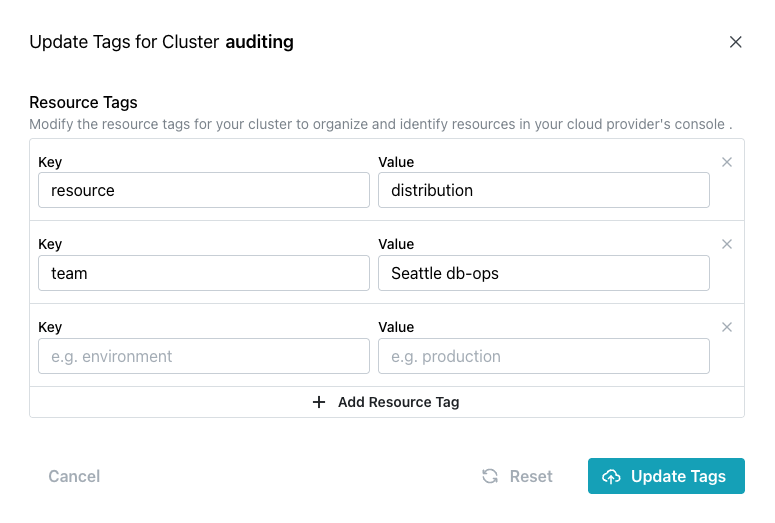
-
To change the
Valueassociated with aKey, type over the currently displayed value. -
To add a new resource tag, select
Add Resource Tag, and then specify theKeyandValuein the open fields.
When you're finished, select Update Tags to update the tags associated with
the cluster.